|
Crist-JRoger
|
 |
« Reply #165 on: May 20, 2016, 03:28:02 PM » |
|
I make blending for Frag a-la photoshop  from here link of ContrastSaturationBrightness code. So simple funktions works well. I have problem with this: vec3 BlendLinearLightf(vec3 base, vec3 blend) {
return (blend < vec3(.5))?BlendSubstractf(base,(2.0*blend)):BlendAddf(base,(2.0*(blend - 0.5)));
}ERROR: 2:317: '<' : wrong operand types no operation '<' exists that takes a left-hand operand of type 'in 3-component vector of float' and a right operand of type 'const 3-component vector of float' (or there is no acceptable conversion) how else rewrite this? |
|
|
|
|
 Logged
|
|
|
|
hobold
Fractal Bachius

Posts: 573
|
|
« Reply #166 on: May 20, 2016, 03:43:54 PM » |
|
how else rewrite this?
There is no standard definition for "is greater than" or "is less than" for vectors. What are you trying to accomplish? If that computation is meant to be done per vector component, you'll probably have to explicitly write it for every coordinate, and then combine the results into a vector variable again. |
|
|
|
|
Logged
|
|
|
|
|
Crist-JRoger
|
|
« Reply #167 on: May 22, 2016, 09:19:03 PM » |
|
hobold, thank you, it helps ) I added photoshop blending modes and hue correction from PhotoshopMathFP.glsl by Romain Dura. LinearBurn, LinearDodge, Lighten, Screen, Darken, LinearLight, Overlay, SoftLight, ColorDodge, ColorBurn, VividLight, PinLight, Reflect, Phoenix. #define BLENDING to call. Two gradients and simple mixing, hue in buffershader.frag (i don't know is that right...). Attached testing renderer. 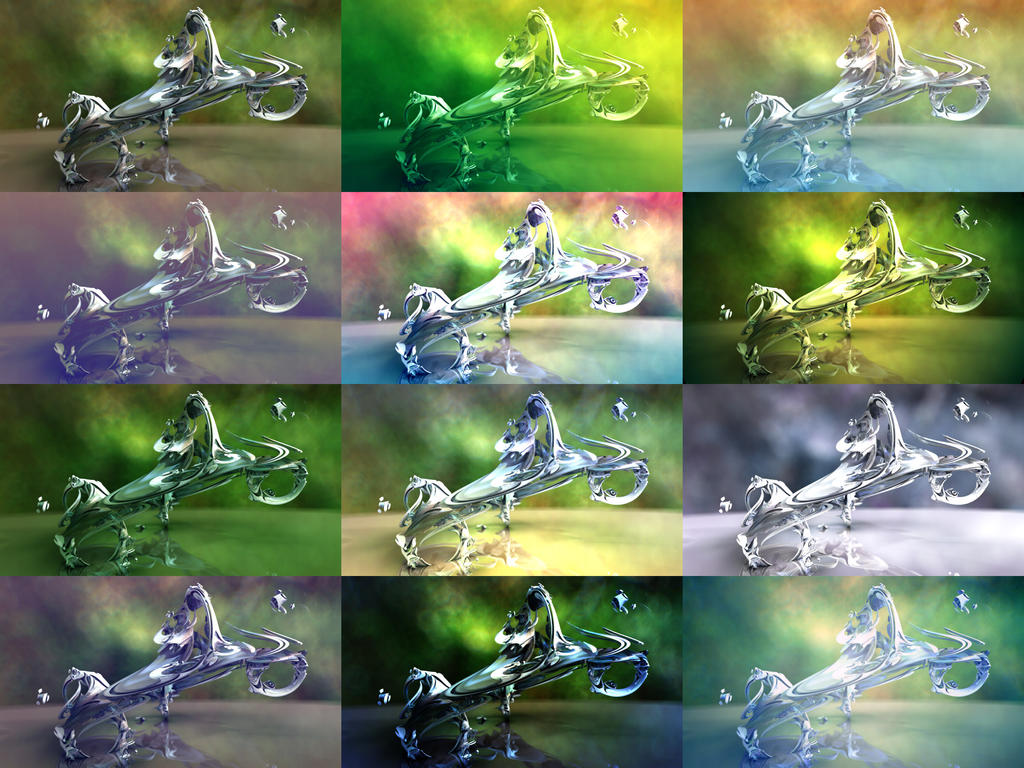
|
|
|
|
Logged
|
|
|
|
|
3dickulus
|
|
« Reply #168 on: May 22, 2016, 11:10:32 PM » |
|
... in buffershader.frag (i don't know is that right...)
yes, nice work, good to see the buffershader.frag getting filled up with some code  |
|
|
|
|
Logged
|
|
|
|
DarkBeam
Global Moderator
Fractal Senior

Posts: 2512
Fragments of the fractal -like the tip of it
|
|
« Reply #169 on: May 23, 2016, 10:47:59 AM » |
|
 Amazing... PS fused with Fragmentarium!? 
|
|
|
|
|
Logged
|
No sweat, guardian of wisdom!
|
|
|
|
Crist-JRoger
|
|
« Reply #170 on: May 23, 2016, 12:19:05 PM » |
|
Amazing... PS fused with Fragmentarium!? it's simple arithmetic functions applied as Post-tab features. And from the same source ) I want add anamorphic streaks for direct light And I really don't know how to do that  |
|
|
|
« Last Edit: May 23, 2016, 01:45:33 PM by Crist-JRoger »
|
Logged
|
|
|
|
|
Crist-JRoger
|
|
« Reply #171 on: May 23, 2016, 02:16:54 PM » |
|
Need somebody help. I created blurred glow which always horizontal directed on the screen. It's simple. I can't link this to light source coordinates  It seems not so easy. This horizontal glow must be foreground as post-effect... |
|
|
|
Logged
|
|
|
|
|
3dickulus
|
|
« Reply #172 on: May 23, 2016, 08:15:37 PM » |
|
not sure exactly what you mean... 1. horizontal glow at light position? 2. god ray from light resulting in horizontal glow? this might help  I added a little bit of code in DE-Kn2.frag for one image, not sure if it works in other cases, meant for clouds at sunset or sunrise... vec4 clouds(vec3 p0, vec3 p1){
....
// add fog anisotropy to clouds 3Dickulus 05/14/16
#ifdef KN_VOLUMETRIC
for(int j=0;j<HF_FogIter;j++) sum.xyz+=(ptLightGlow3(ro, p1)*(1./float(HF_FogIter)));
#endif
return clamp(sum,0.0,1.0);
}these images have the same number of subframes and the same settings the only difference is one line in #ifdef KN_VOLUMETRIC ... #endif before return edit: the reason I did this is because I found that clouds affected fog (looking through clouds at fog) but fog did not affect clouds (looking through fog at clouds) so objects like bulb and surface had fog effect on them but sky/clouds did not so it looked strange. |
|
|
« Last Edit: May 23, 2016, 09:14:02 PM by 3dickulus »
|
Logged
|
|
|
|
|
Crist-JRoger
|
|
« Reply #173 on: May 23, 2016, 10:02:45 PM » |
|
Nice sunrise  I mean pseudo lens effect like horizontal glow (anamorphic flares) in Star Trek film by JJ Abrams |
|
|
|
|
Logged
|
|
|
|
|
3dickulus
|
|
« Reply #174 on: May 23, 2016, 10:45:52 PM » |
|
for the full effect see the big picture http://www.fractalforums.com/index.php?action=gallery;sa=view;id=19150hmmm... so need light and camera pos.xyz and view direction passed to buffershader.frag ? this should be easy to do on C++ side by reading the values required and setting uniforms in the buffershader before executing will try this with... vec3 LightPos; vec3 CamPos; vec3 ViewDir; can anyone tell me what else might be important to pass to the buffershader.frag this way ? maybe light color too ? edit: Technically, the method is only a modified simple bloomshader according to this blog the code is already there, copy or modify the bloom code, just stretch on the axis I may still add the uniforms mentioned above for more complex stuff  |
|
|
|
« Last Edit: May 24, 2016, 12:10:11 AM by 3dickulus »
|
Logged
|
|
|
|
|
3dickulus
|
|
« Reply #175 on: May 24, 2016, 06:13:14 AM » |
|
ok did some mucking about and found something that works on single image but not tiles... yet image 1 has the sun in the centre, image 2 is just off centre, it's a bit rough and not fully/properly implemented code goes in buffershader.frag, if you have better math and glsl skills than I, please have a look at the link modified from glsl code found at http://john-chapman-graphics.blogspot.ca/2013/02/pseudo-lens-flare.htmlwith some refinements I think this could work and it's very fast, needs to be modified to work with tiles and subframes properly |
|
|
|
Logged
|
|
|
|
|
Crist-JRoger
|
|
« Reply #176 on: May 24, 2016, 06:49:09 AM » |
|
3dickulus, image2 - you got chromatic abberation That's really cool! I saw this blog, but did'n understand..
|
|
|
|
|
Logged
|
|
|
|
|
Crist-JRoger
|
|
« Reply #177 on: May 24, 2016, 08:10:40 AM » |
|
|
|
|
|
|
Logged
|
|
|
|
|
3dickulus
|
|
« Reply #178 on: May 24, 2016, 08:14:36 AM » |
|
I'll have a closer look at that tomorrow,
from initial look it might be better but testing will tell...
still need to consider tiles and subframes
|
|
|
|
|
Logged
|
|
|
|
|
Crist-JRoger
|
|
« Reply #179 on: May 24, 2016, 11:08:17 AM » |
|
Ok, now i found by educated guess method  regulated DoF for background  uniform sampler2D BG; file[tex.jpg]
//............
vec3 p=SRCurrentPt(Ray);
backColor += equirectangularMap(BG, Ray.Origin-p); |
|
|
|
|
Logged
|
|
|
|
|


 February 22, 2011, 03:32:50 PM
 call for input - updating forum rules
Board Rules and Guidelines
call for input - updating forum rules
Board Rules and Guidelines


 Dilber MC Theme by HarzeM